
What is an Addon Domain?
An addon domain lets you host an extra domain on your existing hosting plan. It gives you a completely separate website (with its own files and folder) and/or email addresses, while sharing the same plan resources.
The addon site is fully independent from your main domain, different root folder, no overlap.
Perfect for running multiple sites on one hosting account.
To setup an addon domain name, first you will need to log into your DirectAdmin service.
IMPORTANT:
Before continuing with this guide, ensure you're logged into DirectAdmin and viewing the main dashboard.
If you're not sure how to access DirectAdmin from your Help.com account, please follow our step-by-step guide here: https://support.help.com/how-to-log-into-directadmin
Once logged in:
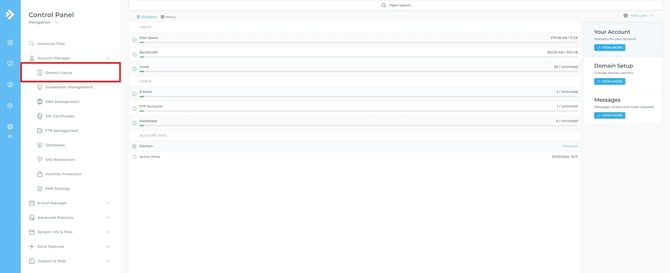
- Click on “Domain Setup” under the “Account Manager” header on the left or search using the search bar at the top of the page.
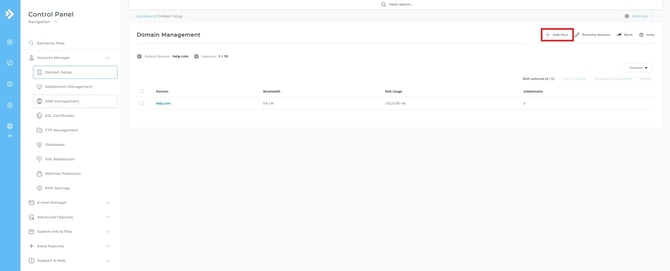
- Once in the Domain Setup tool you will see an overview of your domain/s hosted within your DirectAdmin service. Click Add New on the top right.
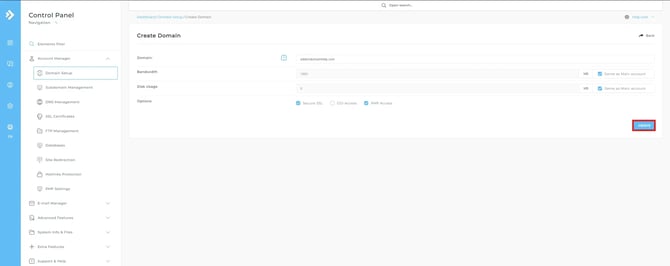
- Enter in the domain that you wish to add to your service.
- Click Create
After the addon domain name has been successfully added to your service, you’ll need to make sure that the new domain name has been pointed towards the correct nameservers or connected using an A record pointed towards your hosting service.