Directly from your account in Help.com
Step 1:
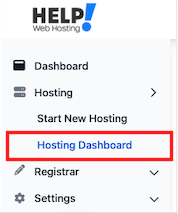
From your Help.com Dashboard click Hosting > Hosting Dashboard
Step 2:
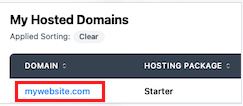
Click on your Hosted Domain
Step 3:
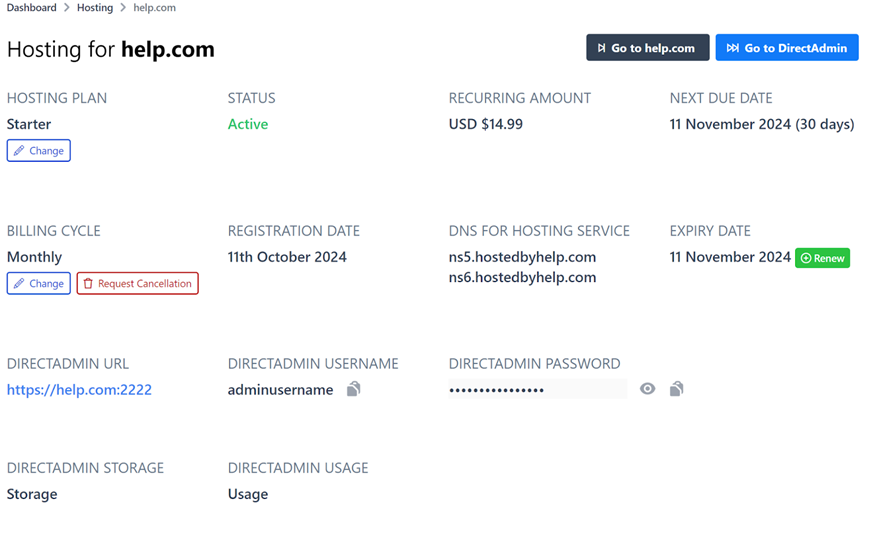
Once you are on the Hosting Dashboard for your specific domain, you will be able to see
a. DirectAdmin URL – This is the link to access your DirectAdmin Panel
b. DirectAdmin Username – The DirectAdmin username required to login.
c. DirectAdmin Password – The DirectAdmin password required to login.
d. Go to DirectAdmin button – This is a button to directly and quickly access your DirectAdmin dashboard.
Step 4: Simply click the DirectAdmin URL/Or Button and use the login details mentioned above and you will log in to your DirectAdmin Dashboard.