Step 1: Log into your Help.com account.
Step 2: Go to Hosting → Hosting Dashboard.
Step 3: Click on your hosting package.
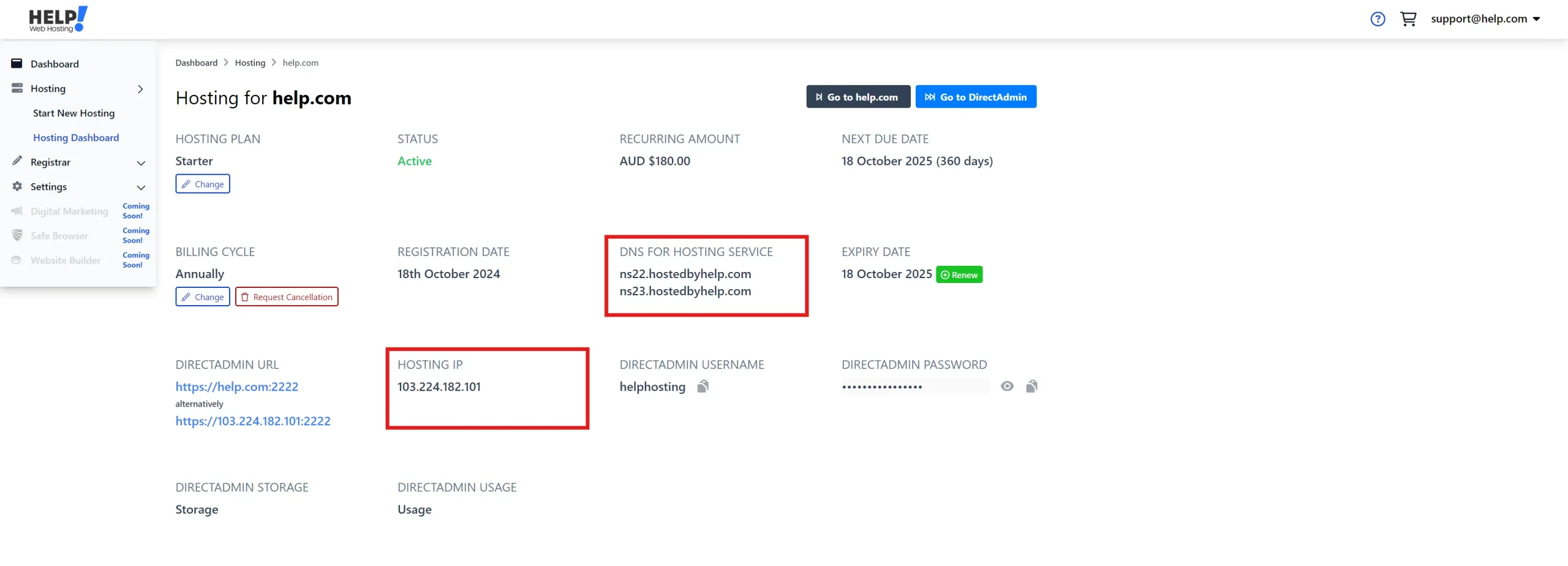
You’ll see:
- DNS For Hosting Service – this lists the nameservers you should use (e.g., ns1.help.com, ns2.help.com).
- Hosting IP – this shows the server IP address you can use if connecting via A record.
Note: If your domain is registered and hosted with Help.com, you don’t need to set any DNS records manually.
Just change the nameservers on your domain to: ns1.hostedbyhelp.com ns2.hostedbyhelp.com